
Everything Pyaau does for a jar business
One Android app for the office and the drivers. Here is what is in it, grouped by the job it does.
Run the day
From the route that is ready every morning to the day you close.
A route for every driver, every night
The next day’s stops are prepared from your customers and standing orders.
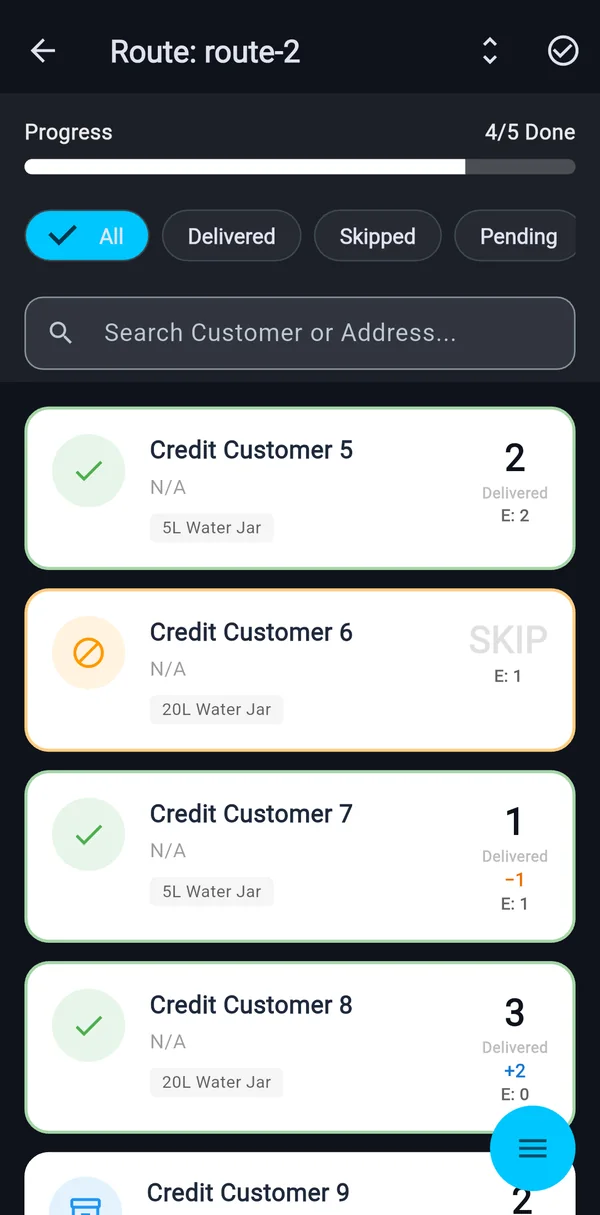
Deliver or skip in one swipe
Skips need a reason, and empties are kept even when a stop is skipped.
Standing orders with their own price
Regular, extra on top or temporary with an end date, daily, alternate days or weekly.
Extra orders and plant pickups
“One more jar today” and customers who collect from the plant, with a price-changed flag for you.
Close and lock the day
A summary of delivered, skipped, extras, empties, bottle balance, short and above-planned jars, then Lock Run.
Made for drivers
Fast on a doorstep, with a jar in one hand.
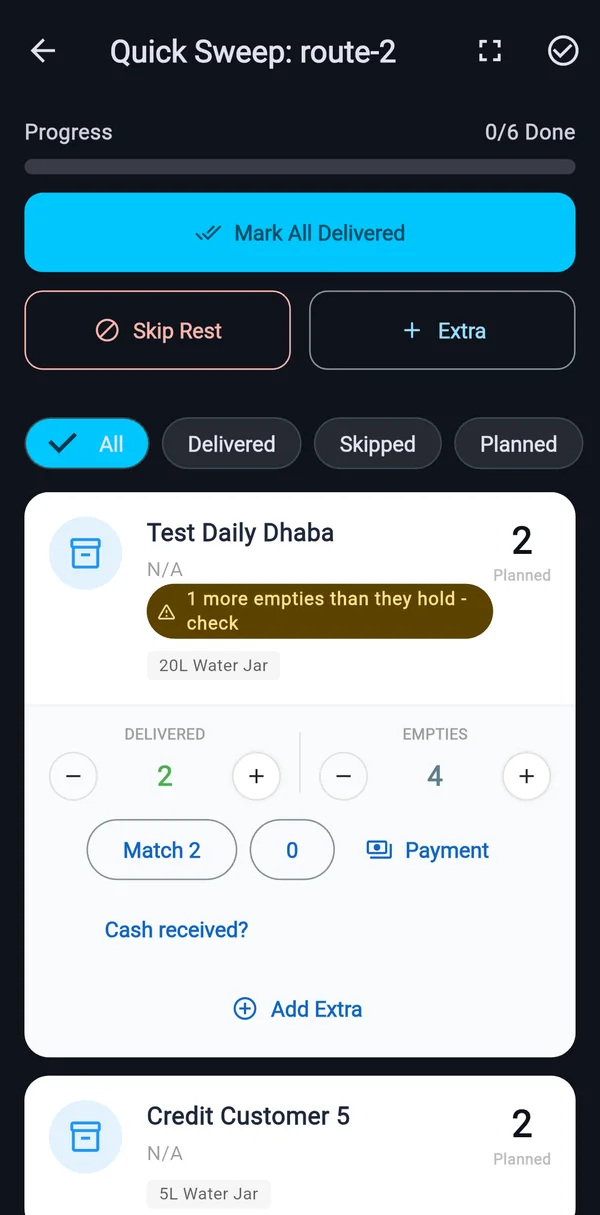
Match empties in one tap
Set empties equal to the jars delivered, or enter the number that came back.
One stop at a time
A focused screen with the jars, empties and a Payment button, plus a line showing whether the customer pays daily or monthly and what they owe.
Skip the rest in one go
Skip every open stop in a run with one reason, after a confirmation that shows how many, with undo.
Hear each stop read out
A speaker button reads a stop aloud, and a setting reads each new stop as the driver moves on.
In Hindi
The app runs in Hindi, so drivers work in the language they read fastest.
Jars and empties
Know where every jar is, at the stop where it moves.
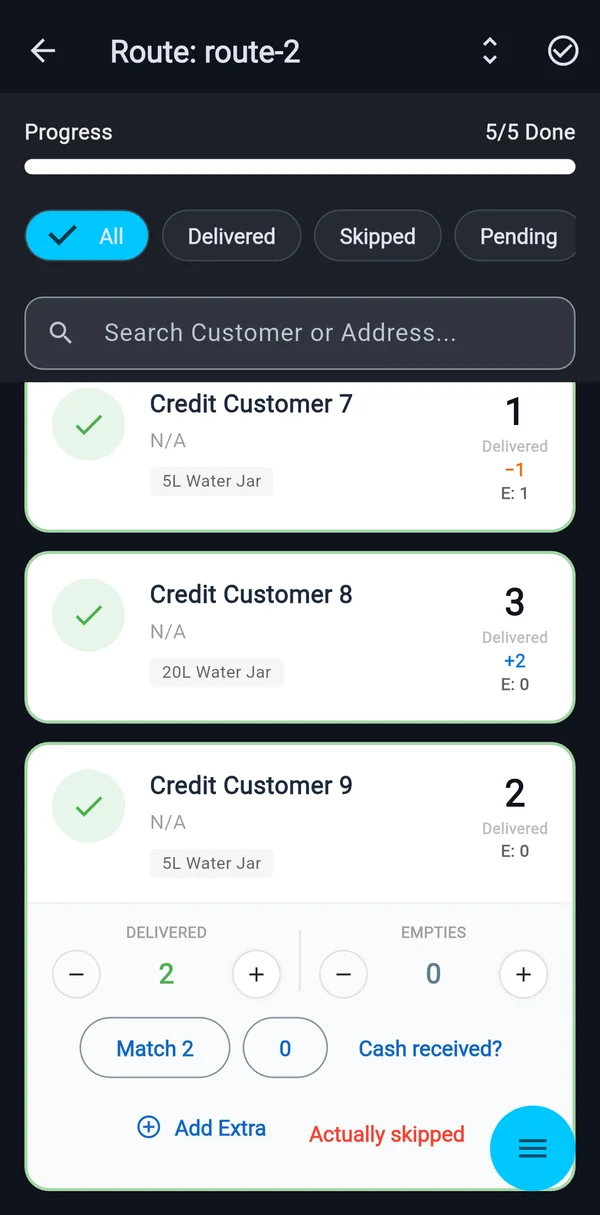
Empties counted on every stop
Counted separately from the jars delivered.
Bottle balance for every run
A running balance you can read in the close-of-day summary.
Jars held, per customer and product
For products you mark as coming back as empties. Updated on every delivery and shown on the customer’s page.
A warning when the numbers do not add up
If the empties entered are more than the customer holds, the stop shows “check” and still saves.
Short and extra, flagged on the stop
−1 and +2 show where deliveries differed from the plan, and roll up into a report by customer or route.
Customers and credit
Every customer’s balance, always current.
A credit-first ledger
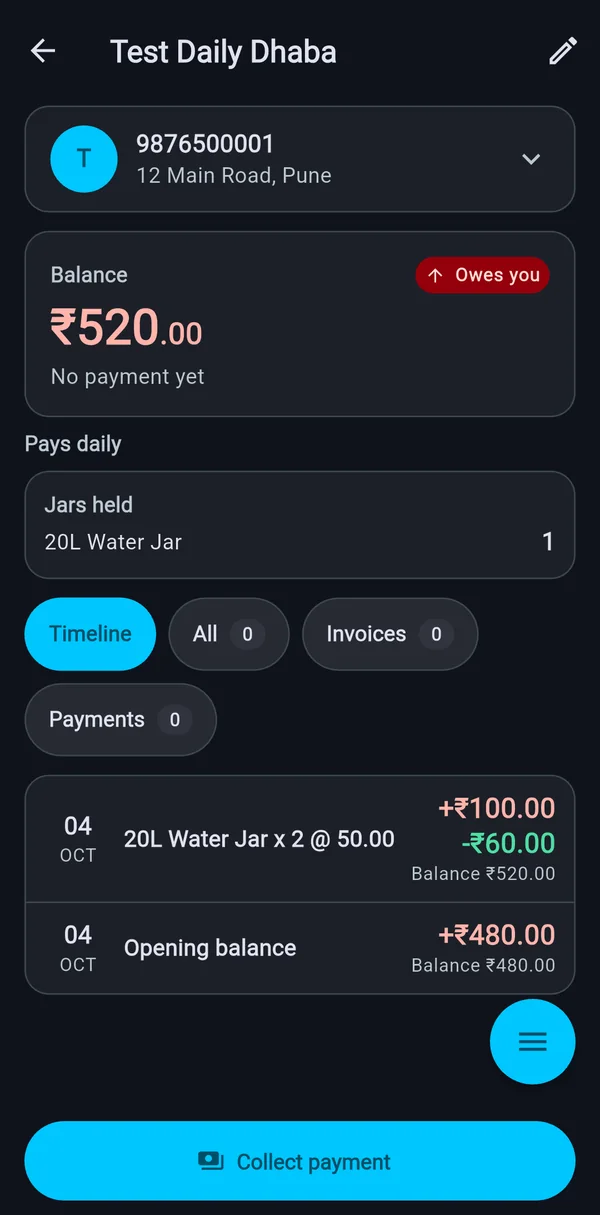
Each delivery adds to what the customer owes. The balance reads Owes you or Credit.
Pay daily or pay monthly
Choose for each customer. Daily payers are not invoiced and keep their own ledger.
One timeline per customer
Deliveries and payments together, newest first, with the balance after each row, for the last 30 days.
Start a customer where they are
Enter what they already owe or paid ahead and the jars they hold. It becomes the first row, Opening balance.
A dues report by age
0–30, 31–60 and 60+ days, and the customers who owe most.
Changes follow automatically
Update a name or address and upcoming stops pick it up. Past stops keep what they had.
Invoices and payments
Bills from the day’s record, payments against the right invoice.
Invoices from reconciled days
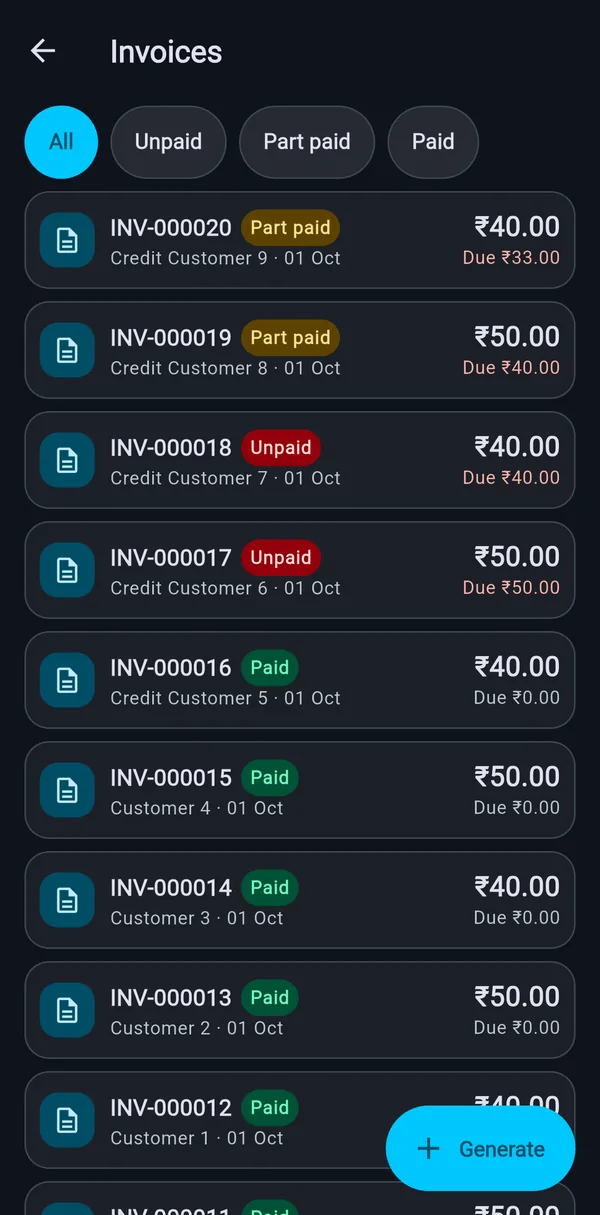
Each invoice lists the deliveries it covers.
A summary that reads like a bill
One row per product and rate, then a day-by-day grid of jars delivered for each month. The per-delivery layout stays in the invoice menu.
Vendor code on the invoice
Add a company customer’s code once. It is copied onto each new invoice and printed on its PDF.
Change a price after issue
Type a new rate for a product. Deliveries, total, status and the customer’s balance follow, and the invoice keeps a record: who, when, why, and the totals before and after.
Payments to the oldest invoice first
Record cash, UPI, bank or other when you receive it. Cash taken at the door is already deducted.
Share as PDF
Send any invoice or customer statement from the phone through WhatsApp or any other app.
Events and one-time orders
Weddings, functions and other big one-off jobs, kept apart from the daily route.
Book an event
Products, agreed prices and one or more drops, each with a day, an optional time, a route and the jars per product.
Take an advance
In cash, UPI, bank or other. It is held on the customer’s account and chosen for the final bill.
Drops reach the driver
Each drop becomes a stop on the driver’s route. The driver enters the jars taken back from a card on Home.
Change or cancel
Change anything not yet delivered, or cancel before anything is delivered or skipped. The advance stays on the customer’s account.
Settle one final bill
Delivered minus returned, fees or discounts, and the advance applied. Statuses run Booked, Delivered, Returned, Billed.
Reports and exports
The numbers an owner asks for, without the notebook.
A dashboard for the day
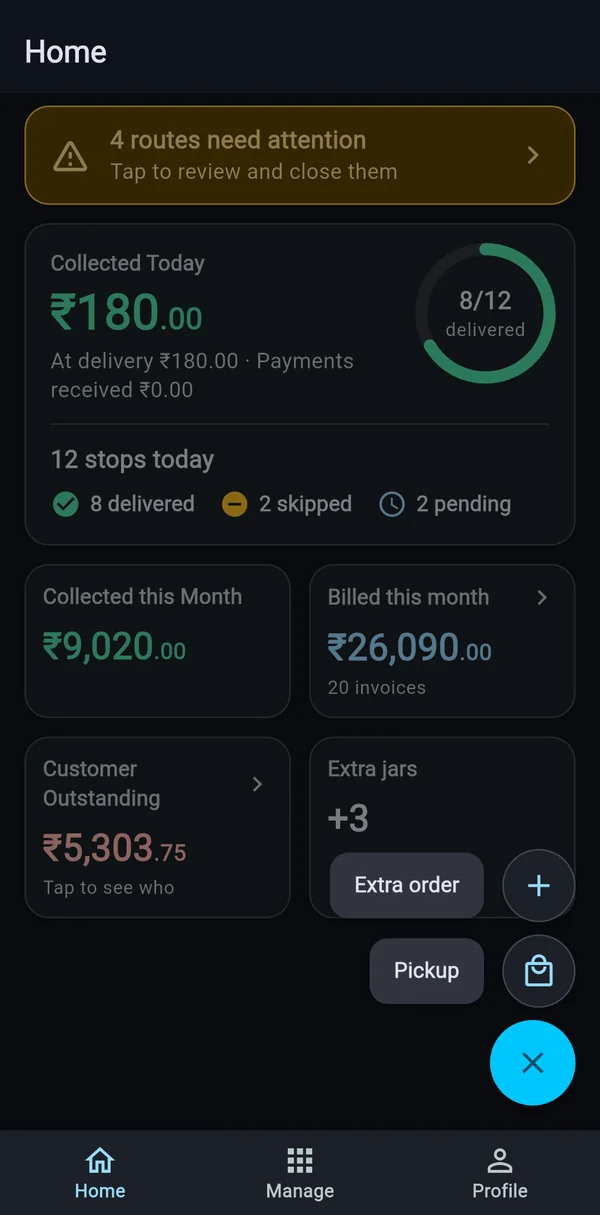
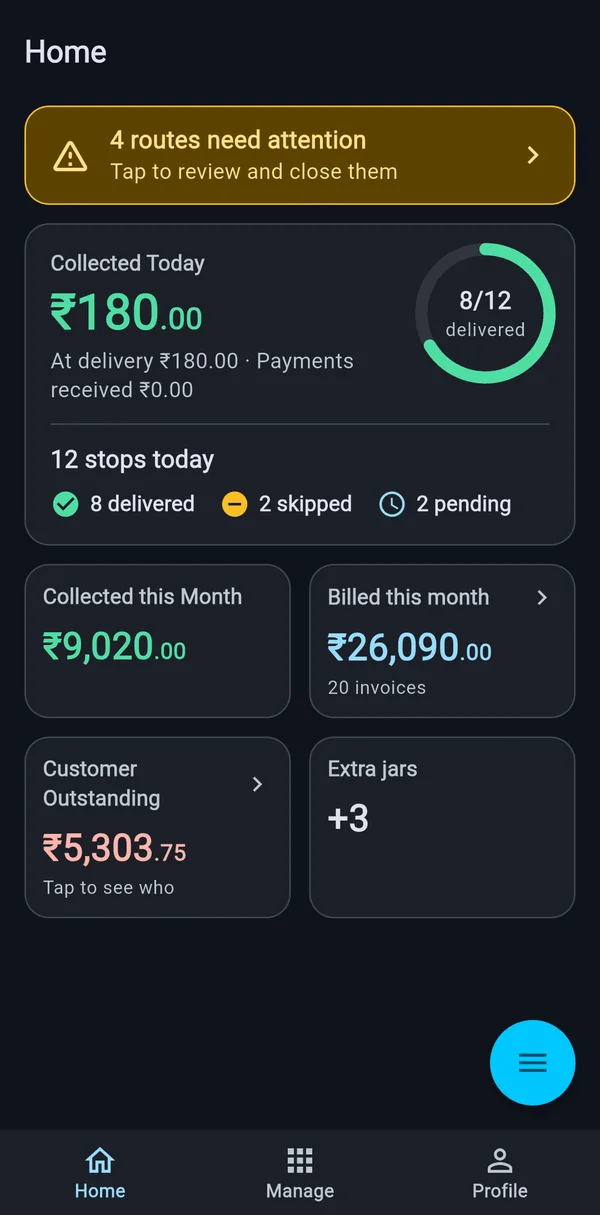
Collected today and this month, deliveries done, billed this month, customer outstanding and extra jars.
Business summary
Any period up to 92 days: sales, collected, billed, owed now, deliveries, jars and empties, customers, sales by payment type, the top 5 customers and products, and a day-by-day chart.
Close-of-day summary
Delivered, skipped, extras, empties, bottle balance, short jars and above-planned jars, for every run.
Short and extra report
By customer or by route over any dates, with the stops behind each row.
Exports to a spreadsheet
Customers, invoices, payments, deliveries and the dues report as CSV files that open in spreadsheet apps.
See it on your own routes
Book a free walkthrough. We will message you on WhatsApp to fix a time.