
For the driver, or the owner who is explaining it
This page is written to be read out loud. Owners can use it to train a new driver. Drivers can read it on their own. The steps are short on purpose.
The Hindi version of this page has the same steps.
Example: one morning on a route
Example only. The names and numbers are made up.
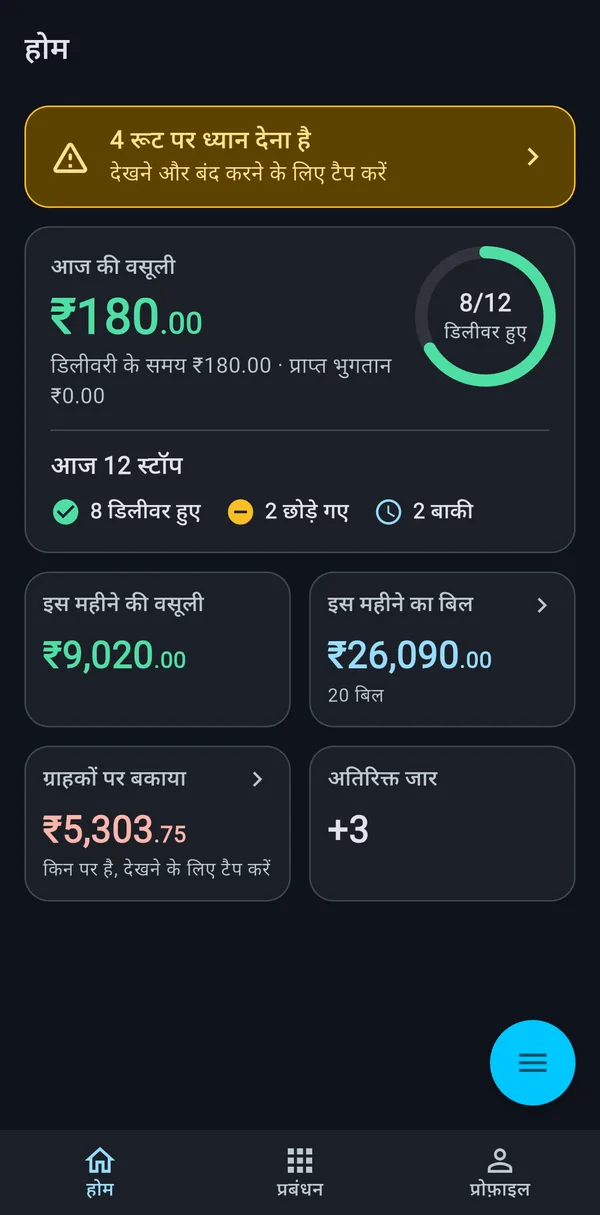
Ramesh starts at 7:30 am. His route has 12 stops. He opens the app and sees the stops in order.
- Stop 1. A shop. 3 jars planned. He gives 3 jars and takes 3 empties. Done.
- Stop 4. A flat. The customer is out. Ramesh skips the stop and writes the reason. Last week she left 1 empty at the door, so he counts it.
- Stop 7. A clinic. 2 jars planned. The clinic asks for 2 more. Ramesh gives 4 and adds an extra.
- Stop 9. An office. 5 jars planned. Only 4 are in the truck. He gives 4. The stop shows that it is one short.
By 11:00 am he has gone through all 12 stops. He tells the office that 1 stop was skipped.
The steps at every stop
- Open the stop. Tap the stop to open it. You see the customer and how many jars are planned.
- Give the jars. Set Delivered to the number you really gave. Not the planned number. The real number.
- Take the empties. Set Empties to the number of empty jars you took back.
- Use Match when it is equal. If the customer gave back as many empties as you gave jars, tap Match. It sets Empties to the same number as Delivered.
- Swipe to finish. Swipe the stop as delivered.
- If you could not deliver, swipe it as skipped. The app asks for a reason. Choose the true reason.
- Count empties even on a skip. If the customer left empties at the door, set Empties. They stay recorded.
- If you made a mistake, use undo and do it again.
Short and extra, in plain words
- Short means you gave fewer jars than planned. The stop shows a minus number, like -1.
- Extra means you gave more than planned. The stop shows a plus number, like +2.
You do not need to calculate. Set Delivered to what you gave. The app shows the difference.
If a customer asks for one more jar at the door, use Add Extra on that stop. If the price for the extra is different, the owner gets a flag, so tell the owner about the deal. Do not decide new prices alone.
Money at the door
If the customer pays you, there is a Collect payment option. A driver can record cash or UPI. The app shows what the customer owes.
Two things to remember.
- The app records the payment. You give the cash to the office the same day.
- Only the office can cancel or change a payment. If you typed a wrong amount, tell the office right away.
Mistakes drivers make
- Typing the planned number, not the real number. The owner will think the stop was perfect when it was not.
- Forgetting the empties. The jar business loses money here. Count at the door, not at night.
- Skipping with a vague reason. Write the true reason. “Closed” is better than nothing, and it helps the owner.
- Saving all stops at the end of the day. You will forget. Finish each stop before you drive on.
- Using Match when the numbers are not equal. Match is only for equal numbers. If the customer returned 2 empties after you gave 3 jars, set Empties to 2.
- Taking cash and not recording it. If it is not in the app, the customer will be asked to pay again.
The owner’s guide to the same topic is what to record on every jar delivery. It explains why each of these numbers matters.
For the owner: how to set up a driver
- Give each driver their own login. Do not share one phone login.
- Choose Hindi if the driver reads Hindi faster. The app can run in Hindi.
- Do one practice run. Let the driver use the app for a day while still carrying the notebook. Compare at night.
- Tell the driver what a skip reason should be. Give three or four choices. It stops long arguments later.
- Do not punish honest short counts. If drivers learn that short counts get shouted at, they will type the planned number. See driver accountability without micromanaging.
- Read the numbers together at the end of the week. Show the driver the stops behind any number you ask about.
For the full list of empties problems, see empty jar tracking and how to stop losing jars.
What the app does for the driver
Every night the next day’s stops are ready on the driver’s phone. The driver does not need to phone the office to ask who is next. Each stop has Delivered and Empties counters, Match, Add Extra and a skip option with a reason. The app shows short and extra on the stop. At the end of the day the office sees a summary. The summary shows delivered, skipped, extras, empties, bottle balance, short jars and jars above plan. Then the office locks the day.
If you are the owner, the page for water plant owners shows what you see in the evening from these same stops.